

Disclaimer#
The information presented on this blog is for educational and research purposes only and publicly available. Any actions taken based on the content of this blog are at the reader’s own risk. The author assumes no responsibility or liability for any unauthorized use, misuse, or consequences arising from the use of the information provided.
This research highlights a technique used to avoid (not bypass) email security gateways in organizations adopting Entra ID and Exchange Online.
The technique discussed in this blog isn’t a vulnerability and isn’t categorized as CVE,but rather a misconfiguration.
Introduction#
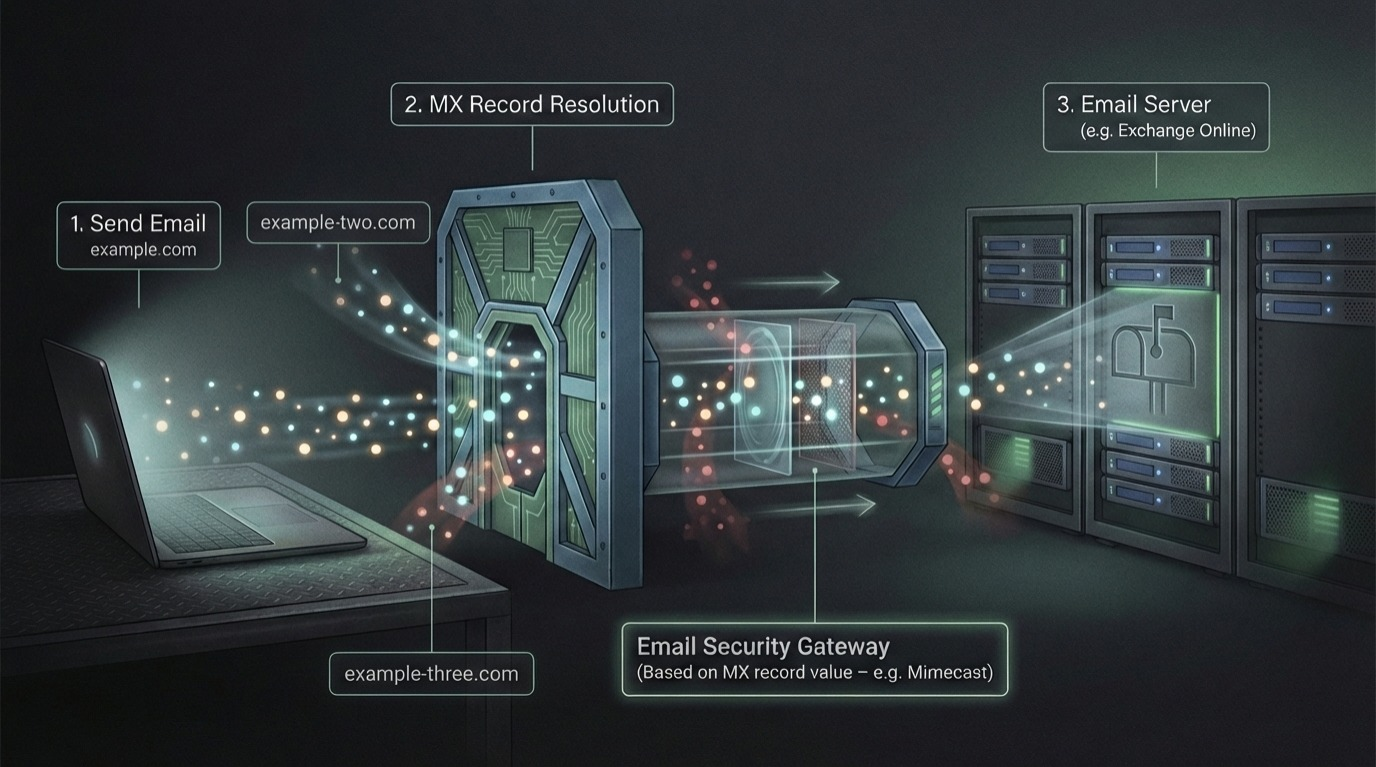
Let us briefly explain what a normal email security gateway configuration looks like. Basically, you have your domain example.com which has DNS records A, ptr, TXT, MX, and so on. We are interested in the MX record, It’s a DNS ‘mail exchange’ (MX) record which directs email to a mail server. The MX record indicates how email messages should be routed in accordance with the Simple Mail Transfer Protocol (SMTP, the standard protocol for all email).
So it’s basically a record we can query, similar to how we query an A record. Our email clients work in the same way, and as shown below, you can simply query the MX record for a domain and determine where you should send an email.
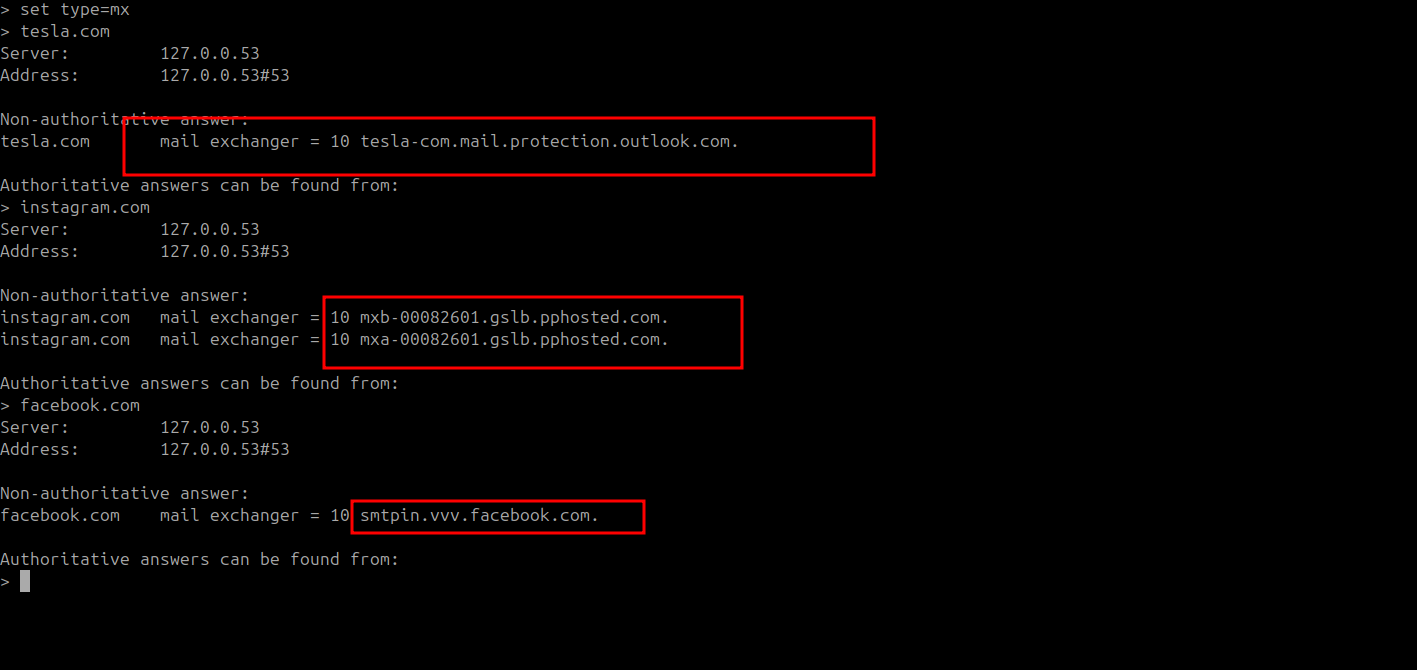
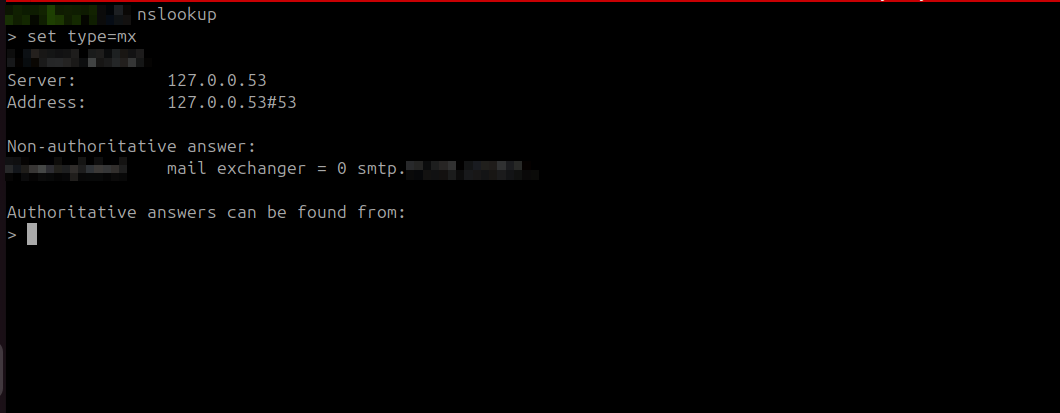
For a basic mail server, you will ideally get an IP address or a domain and you can communicate with it on SMTP. This is just a brief explanation so you can have an overview of how basic mail communication happens.

Email Security Implementation#
Obviously, there are multiple ways to implement security measures into your email flow. For example:
- Security Gateway (MX Based)
- API-based solutions, which are post-delivery focused on retroactive actions and scanning emails after delivery.
- Native platform security ( Eg , Defender for Office 365 )
- Inline email security
This research focuses on organizations with Entra ID (Azure tenants) implementing a Secure Mail Gateway.
Secure Mail Gateway#
SEGs insert themselves in the path of the mail flow by updating the organization’s MX record to point to the SEG instead of the email server, So all the inbound email traffic will then be routed to SEG, you can think of the word intercept or proxy.
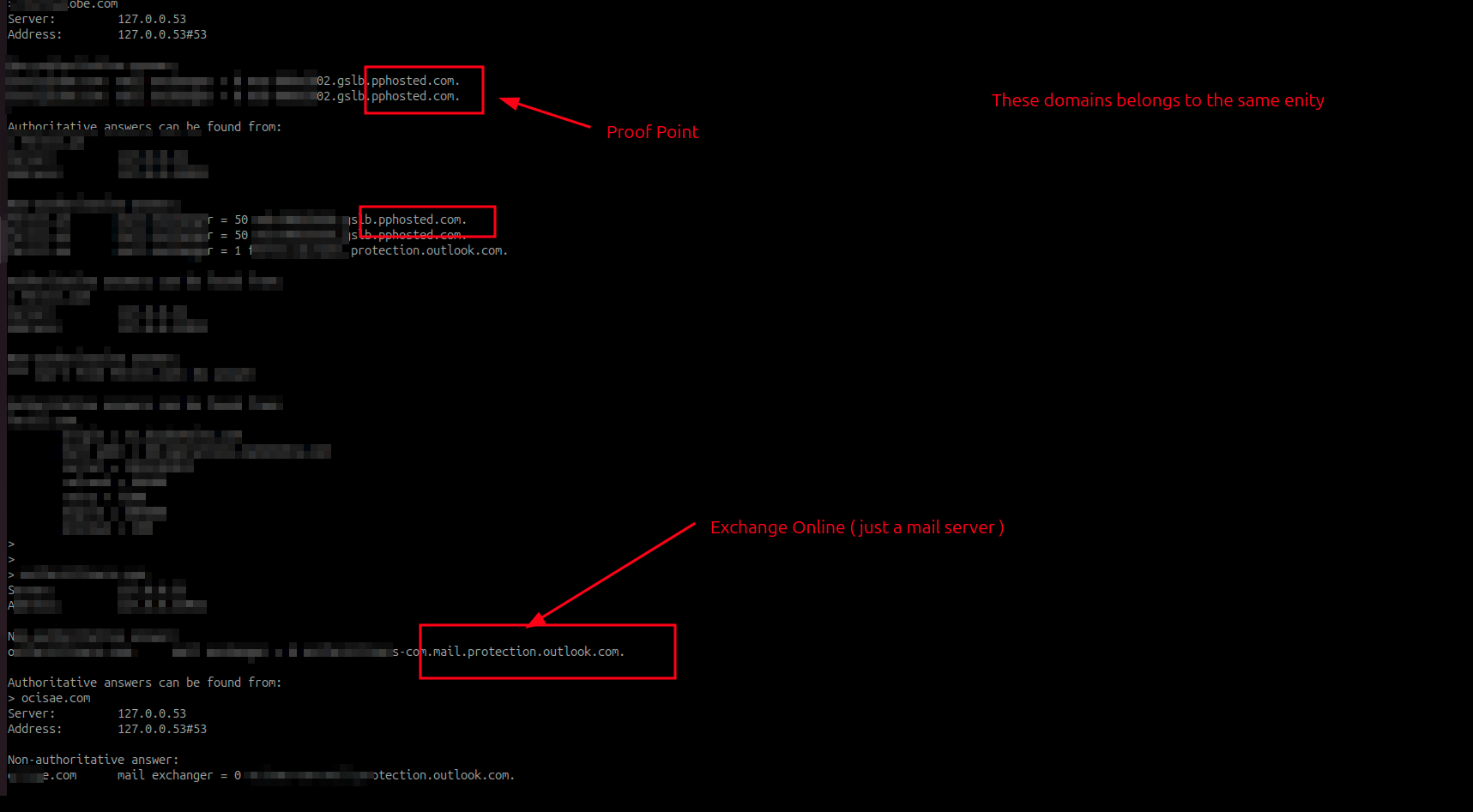
instagram.com as an example has proofpoint as email security implemented, cuz when you check their mx record you will pphosted.com which is the values used by proofpoint mail secure gateway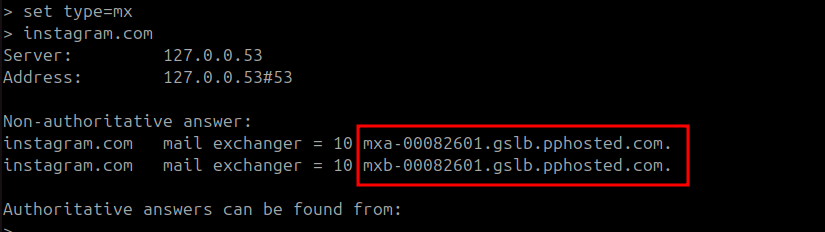
The email security solution then receives the inbound email and performs its security checks:
- IP reputation and blocklist checks
- SPF Validations
- Spoof detection
- metadata analysis
- sandboxing and content based analysis
- URL rewriting
- …
then decides what actions to take based on the predefined policy either to pass the email to email server, drop or quarantine the email/attachment(s).
Important Note : Ideally, when an organization implements such architecture, it means they are relying on the fact that emails are received by the email security first as their line of defense.
for those with Web background, Similar to how WAF should be implemented, Ideally you shouldn’t be able to communicate with the web server directly, and if that happens that means you totally skip WAF and that isn’t a vulnerability by itself, but it will make your life way easier if you can avoid it. SEGs works the same way.
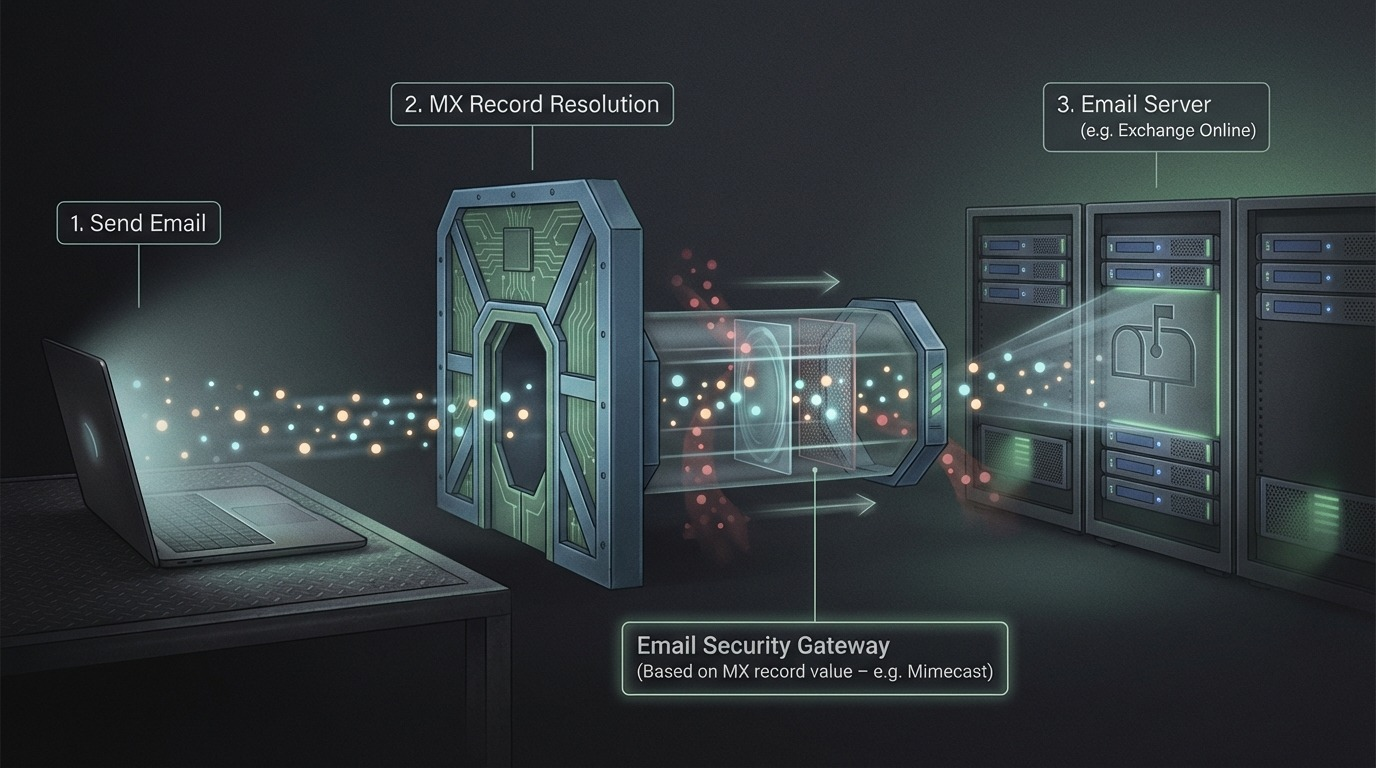
AI Generated Image
Classic Email Attacks LifeCycle#
It’s common to see the emergence of new techniques every now and then until eventually vendors start implementing detections for such techniques, Examples :
- URL Re-directions
- Browser in the browser technique
- Qr Code adoption and its variations
- ….
While the above techniques are handy and often works with enough creativity, it’s a hassle to test against the same vendor your target is using, and it can be quite risky for covert operations in case of detection. So unless it’s tested before and you know for a fact it will bypass this vendor, you are risking a detection.
Entra ID Accepted Domains#
Most organizations nowadays have a hybrid setup, On-prem infrastructure is augmented with an Entra ID tenant. With that said, It’s now common for organizations to host their mail server on Entra ID using Exchange Online instead of implementing on-premises.
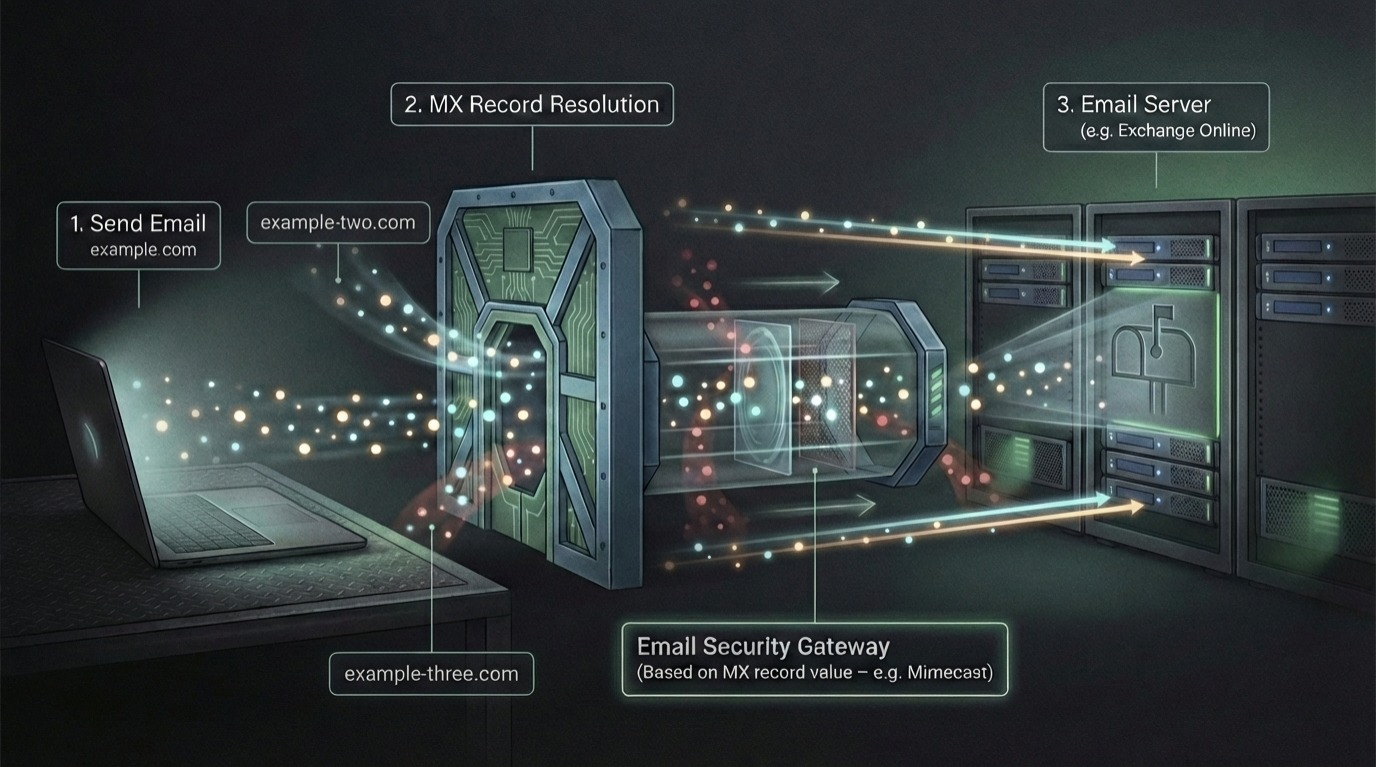
After briefly discussing the classic email based attacks evasion lifecycle, I’d like to introduce the Highway, What if we can completely ignore the email security and shoot directly at the mail server, no need to evade anything a hassle free Highway (NO SPEED CAMERAS).
Short answer: YES, WE CAN. But before we drive at maximum speed, we need to take a step back and add upon what is mentioned at the introduction part.
Since most organization now use Entra ID, Let’s explore what is known as Accepted Domains
When you add your domain to Microsoft 365 or Office 365, it’s called an accepted domain. This functionality of an accepted domain means that users in this domain can send and receive mail
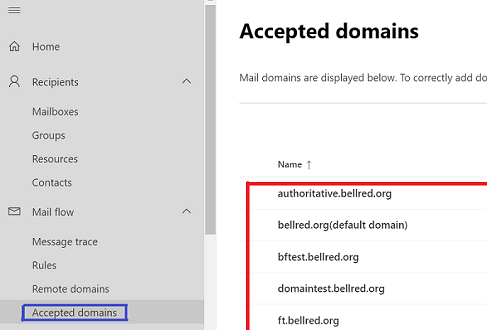
Note: Accepted Domains were anonymously enumerable for years until last May ( Microsoft wake up from the cave ), thanks Dr. Nestori Syynimaa this is still possible via his blackbox tool https://aadinternals.com/osint/
There are some technical aspects to adding an accepted domain which is not the focus to our writing. Just think of it as a feature to receive email sent to your other accepted domains in the same inbox.
Assume the following emails are in the accepted domains list:
- example.com
- example-two.com
- example-three.com
then an email could be sent to user@example.com or user@example-two.com or user@example-three.com
Cops on the Road, Take the Highway !#
In reality, Organizations tend to have A LOT of accepted domains, due to business needs, you will often encounter organizations with 10+ accepted domains.
We took a sample of the top 100 publicly listed companies in the MENA region.
We were only interested in entities that have a CLOUD based email security gateway configured for the purpose of the research. We don’t need to guess. Cloud based email security solutions are clearly visible in the MX Records and clearly tells you that X domain is using Y gateway

You could do the same with on-prem-based setups as well, where mail security is hosted on-premises. But we were interested to see how many entities implementing security gateways MX RECORD MISMATCH with their mismatch pointing to exchange online.
The idea is :
- Get a list of the top 100 listed entities and get the main domain of each entity
- Check if it has Azure tenant
- extract the accepted domains of each organization if they have a tenant
- filter out the entities that uses a secure mail gateway
- Query MX record for the accepted domains of each tenant and check for an MX record mismatch ( look for an mx record that points directly to mail server skipping the security solution)
The results#
Among the 100 entities, we identified 18 entities implementing cloud based security solutions.
11 entity (61%) were vulnerable to MX mismatch, allowing an opening to send an email directly to the mail server, completely avoiding the mail security gateway.
One Accepted Domain to Rule them all#
The results of this technique could not be validated from your end, It’s a blackbox approach with no guarantee to confirm, So it was introduced after the results section.
This gap has been known and mentioned in a couple of blogs since 2020, however it has not received enough love, it’s straightforward to a silly degree, but it works, it just works every single time !!.
So far we have been looking through azure accepted domains to hunt for a domain that IT missed to configure it properly. if you couldn’t find any misconfigured accepted domain, you may shoot and pray
When you register a new tenant , Microsoft grants you a default domain
<domain>.onmicrosoft.com(that’s very important to what we are trying to achieve)
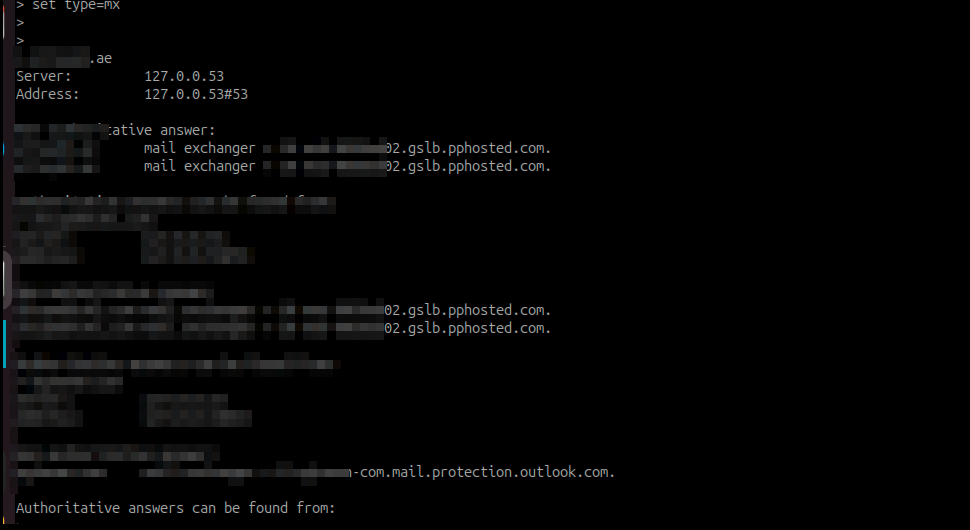
it’s made for easy deployment and quick inbox access for your tenant’s users, However, since it’s .onmicrosoft.com it belongs to microsoft. so its MX record will always point exchange online and nope YOU CAN’T CHANGE IT cuz it belongs to microsoft. , you can’t control *.onmicrosoft.com but you are given an mx record and it’s allowed by default. Classic Microsoft moment.
As shown in the below screenshot, a clear example of on-prem implementation email server, and a default *.onmicrosoft.com pointing to exchange online
How to abuse ?
Just send an email to user@<domain>.onmicrosoft.com and > it has a good chance of landing in their inbox because they most likely didn’t lock down <domain>.onmicrosoft.com domain
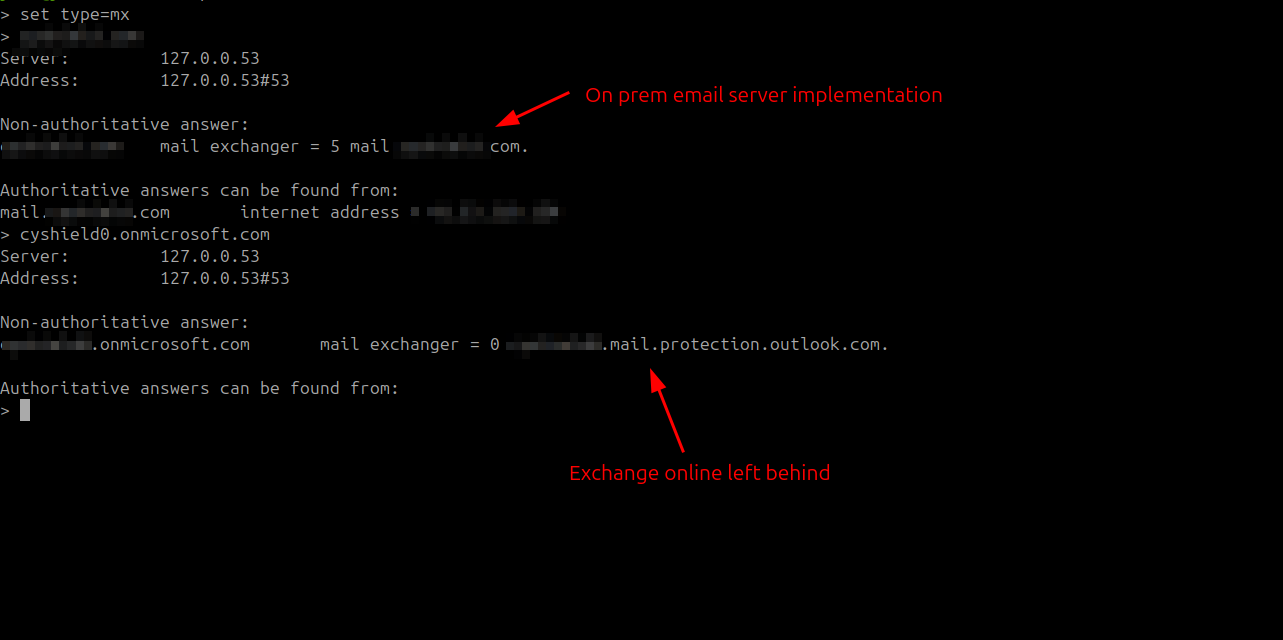
So unless you explicitly lock down your *.onmicrosoft.com to prevent inbound emails, > you will have a security gap that allows everyone to skip your mail security gateway. same applies for on-premises infrastructure.
Remediation and Best Practices#
- Make sure you implement a lock down to your
*.onmicrosoft.com - Make sure you regularly audit your accepted domains entry ensuring they are all routed through the correct gateway.
- Make sure that your email server only accepts emails from your SEG
Thank you for reading !